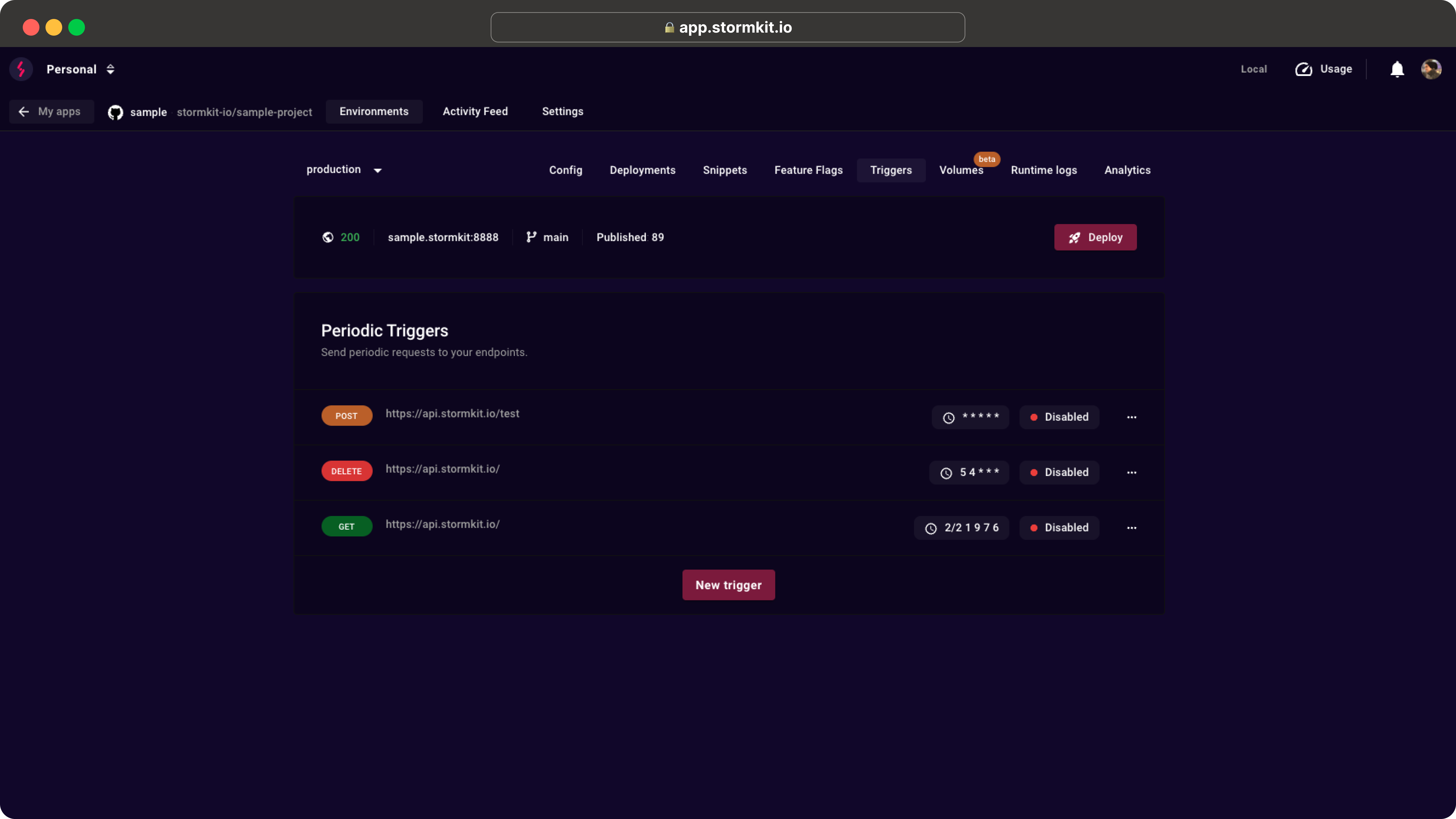
# Periodic triggers
Periodic Triggers allow you to set up automated HTTP requests to your endpoints on a scheduled basis. These triggers can be used to automate recurring tasks, perform health checks, or schedule any API calls that need to run at regular intervals.
Trigger Functions can only be called on your custom domains.
To set up a new Trigger:
1. Go to **Application** > **Environment** > **Triggers**
1. Click on **New trigger** button
1. Fill the inputs in the modal
1. Click on **Create** button
This will call the specified endpoint with the configured cron periodicity. The timezone is **UTC**.
## Description
A list of triggers is a list of cron expressions and URLs, which says nothing
about intent. The **Description** field holds a one-line summary shown next to
the trigger — "Autofill weekly newsletter" against a URL ending in
`/api/cron/newsletter-autofill` — so a list of them stays scannable.
Keep it to a single line of at most 200 characters. For anything longer, use
**Documentation** below.
## Documentation
A trigger's cron and URL say when and where it fires, but not why it exists or
what breaks when it stops. The **Documentation** field on the trigger modal
holds that context: free-form **markdown**, with an Edit/Preview toggle while
you write it.
It is shown alongside the trigger's run details (expand the dot menu `(...)` >
**Past triggers** > a run), so whoever is looking at a failed run also sees what
the trigger is for and who to contact. The text is never sent with the request
and never affects execution.
Description and documentation can also be set through the
[API](/docs/api/triggers) and the MCP `create_trigger` / `update_trigger` tools,
which is a convenient way to have an agent write up a trigger it just created.
## Environment variables
The trigger's **URL**, **header values** and **payload** support environment
variable interpolation. Reference a variable with `$NAME` or `${NAME}` and it is
replaced at run time with the value of the matching variable from the
**environment's configuration** (**Environment** > **Config** > **Environment
variables**).
For example, define a `CRON_SECRET` variable on your environment and reference
it in the trigger's `Authorization` header:
```
Authorization: Bearer $CRON_SECRET
```
At run time `$CRON_SECRET` is replaced with the variable's value, so the secret
lives in your environment config instead of the trigger itself — and rotating it
is just an env-var change, no trigger edit needed.
A reference with no matching variable is left untouched (it is sent literally),
and variables are resolved **only when the trigger runs** — the stored trigger
always keeps the raw `$NAME` reference. Only the environment's own variables are
available; host/system variables are never exposed to a trigger.
## Debugging
Stormkit saves the request and response for each periodic task. You can view the last 25 logs for each trigger by expanding the dot menu `(...)` and clicking on the `Past triggers` menu item.
## Long-running jobs
A trigger is an outgoing HTTP request that Stormkit makes on a schedule, and it waits for
the response. How long the job may run depends on where you are running it.
On **Stormkit Cloud**, a trigger pointed at a [serverless function](/docs/features/writing-api)
is capped at the 15 second function timeout, and the worker making the request gives up
after 30 seconds. A job that needs longer has to be started by the trigger rather than
run inside it.
On a **self-hosted instance** neither limit is fixed. Functions are not subject to the 15
second cap at all, and the worker's own deadline —
`STORMKIT_HTTP_PROXY_TIMEOUT`, [30 seconds by default](/docs/self-hosting/advanced-configuration)
— can be raised, or set to `0` to remove it entirely. Point the trigger at a
[Start command](/docs/deployments/application-runtime) server and the job can run for
as long as you allow.
The trade-off is that triggers due in the same sweep are executed one after another, so a
slow trigger holds up the others behind it and none of their logs appear until the batch
finishes. For jobs long enough that this matters — video processing, a large import —
have the endpoint enqueue the work and return immediately, then let the same
start-command server do the work outside the request.
Either way, make the endpoint idempotent. When a trigger fails, Stormkit does not advance
its next run time, so the trigger stays due and fires again on the following sweep — a
job that times out while its work is still running will be started a second time.
## Self Hosting
If you are self-hosting Stormkit, the periodic jobs are handled by the workerserver.